
This menu allows the user to issue inventory items for Production Orders.
Usage
-
A menu (on the left screenshot) prompts where the user selects a Production Order from a list with all available ones.
-
The user should verify if each item is correctly formatted by clicking

-
The user selects

-
Press the

Details
-
You can reopen and reselect the Production Orders by clicking the

-
Always make sure you have enough items in stock to issue.
-
You can modify each item by clicking the sign in the right of each line.
Changes (12/01/2021)
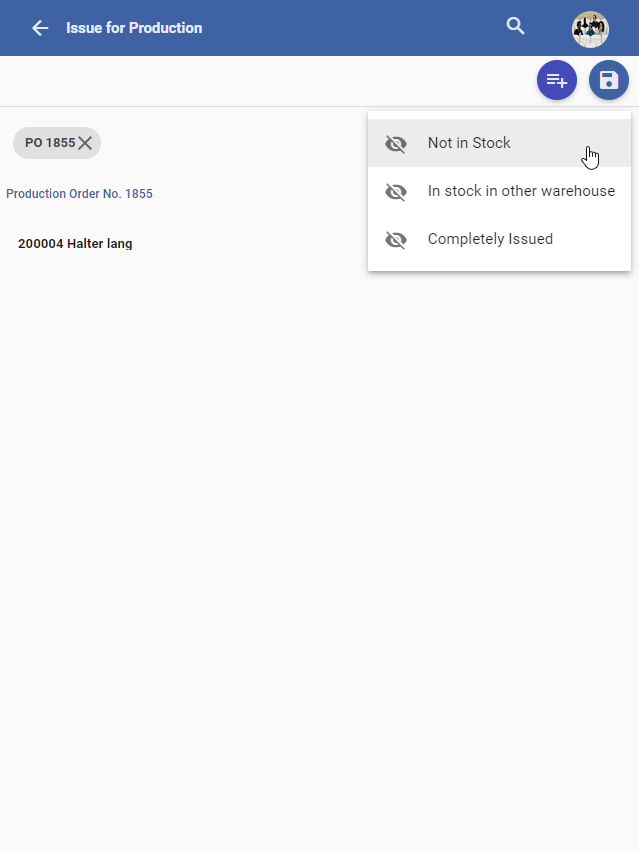
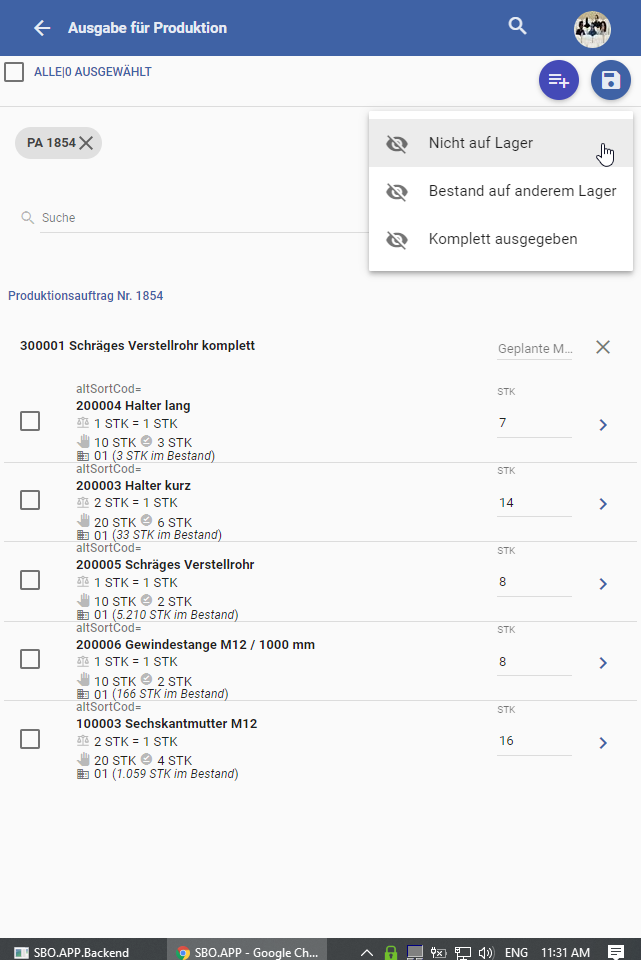
We changed the filters in Issue For Production and added the same filters to the Issue For Production Backlog (Dialog that lists the POs), although the filters have the same name in both places, in Issue For Production Backlog they have a different behaviour because the filter applys to the PO Lines
We now have 3 different filters:
-
Not In Stock
-
Issue For Production → shows all the lines that don t have stock in the PO warehouse.
-
Issue For Production Backlog → shows all the POs that have at least one Line with an item that is not in stock.
-
-
In Stock in other Warehouse
-
Issue For Production → shows all the lines that have stock in other warehouses, besides the PO warehouse.
-
Issue For Production Backlog → shows all the POs that have at least one Line with an item that has stock in other warehouses
-
-
Completely Issued
-
Issue For Production → shows all the lines that already are completely Issued
-
Issue For Production Backlog → shows all the POs that have at least one Line with an item completely Issued
-